Segmentation prerequisites
Before you open the Segmentation tab and hit the “New” button, you have to be sure that you have done some steps before:
- Data Ingestion — obviously, without the data, you will segment empty objects (which is also a nice option if you want to do some QA before getting the data to Data 360).
- Data Harmonization — you have to map the data from Data Lake Objects to Data Model Objects, as you can only segment on DMOs.
- Identity Resolution is not a necessary step, but if you want to segment on Unified Data Model Objects like Unified Individual, Unified Account, or Unified Household, you must run Identity Resolution.
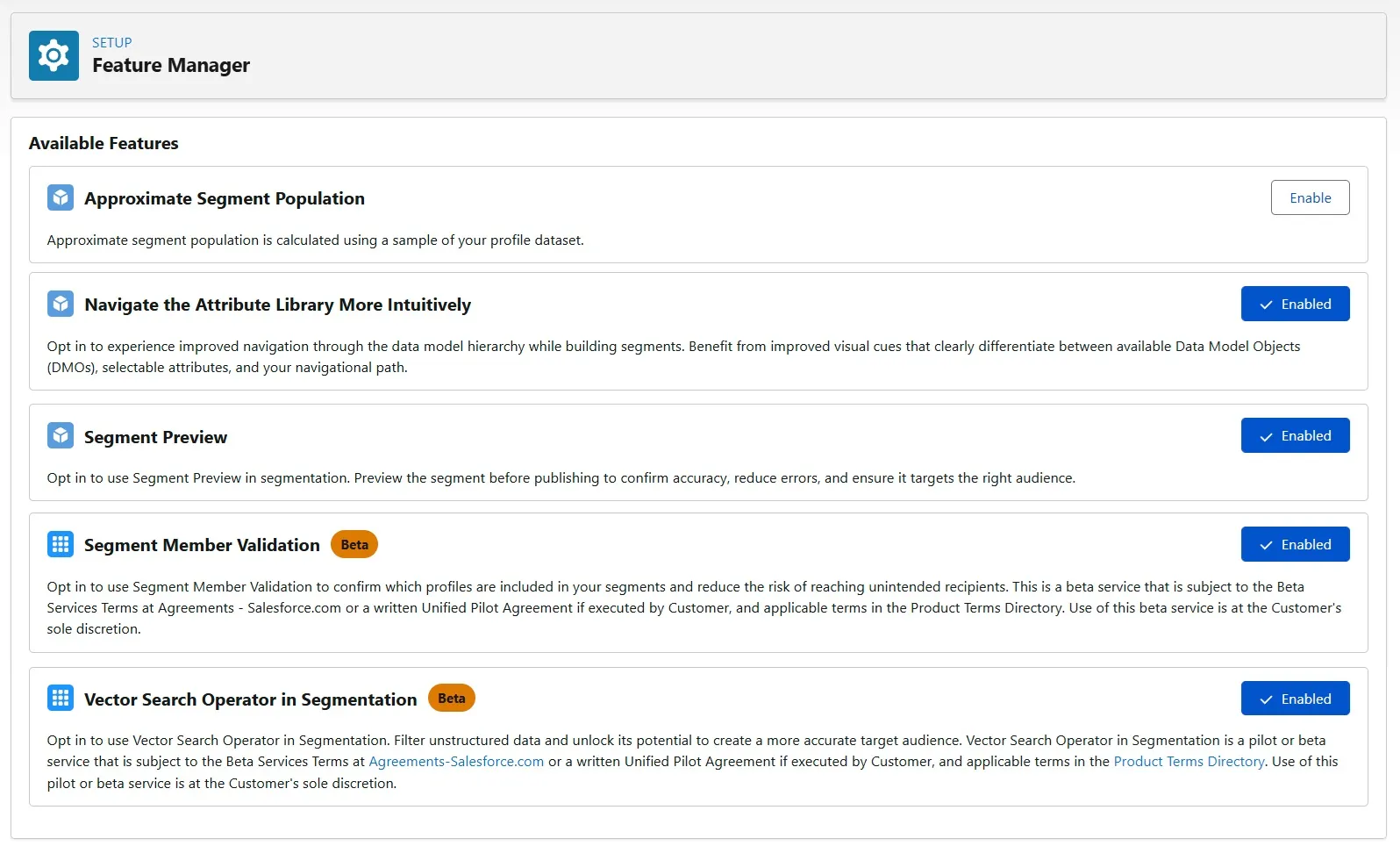
In the Feature Manager section in Data 360 Setup, you will find some features connected with Segmentation. And they are pretty handy when it comes to working with Segments. Let’s see what they do.
Approximate Segment Population
Approximate Segment Population is not a commonly enabled feature. One use case that I can think about when enabling it is when you have very large DMOs (like millions, tens, or hundreds of millions of records) and you want to keep the billing lower when working with Segments.
Approximate Segment Population uses a subset of the profile dataset that will result in 95% confidence when calculating the approximate population. It can make bad estimations when you deal with small populations or low record counts in the DMO that you segment on. Be aware that it can display ~15 records in the population, but in reality, you will get 0 records in the Segment Preview or the final calculated population.
This feature also works with zero copy, except when you segment on DMOs from zero-copy data. Filter level and container level counts also return an approximate count.
Navigate the Attribute Library More Intuitively
Salesforce designed a new navigation to improve the usability of the segment canvas. The interface shows the specific object you are currently on, the Data Model Objects (DMOs) available under that object, and the list of attributes within it. With this feature enabled, it’s easier to navigate, especially if you are not familiar with Data Model abstraction. With an older solution, you can easily make funnels with unnecessary DMOs on the way, which may make impact on the results and billing.
The only limit I can see within this feature is that you can’t choose the relationship path that was chosen for specific attributes. So if you have a more advanced data model with multiple relationships and multiple paths, you can’t easily choose the path that will be used to filter the data.
Segment Preview
First and probably most important feature. It allows you to preview the sample of records that are a part of the segment population. Perfect for validation, troubleshooting, and QA.
If you want to use this feature, you need segment view or edit rules permissions and access to Data Explorer. Segment preview uses random sampling and is recalculated each time you click the button, so no worries if you see different records each time if you have a bigger segment population. It can process a random sample dataset of up to one million rows, and it uses the Data Lens component to render up to 1000 rows of sample records at a time.
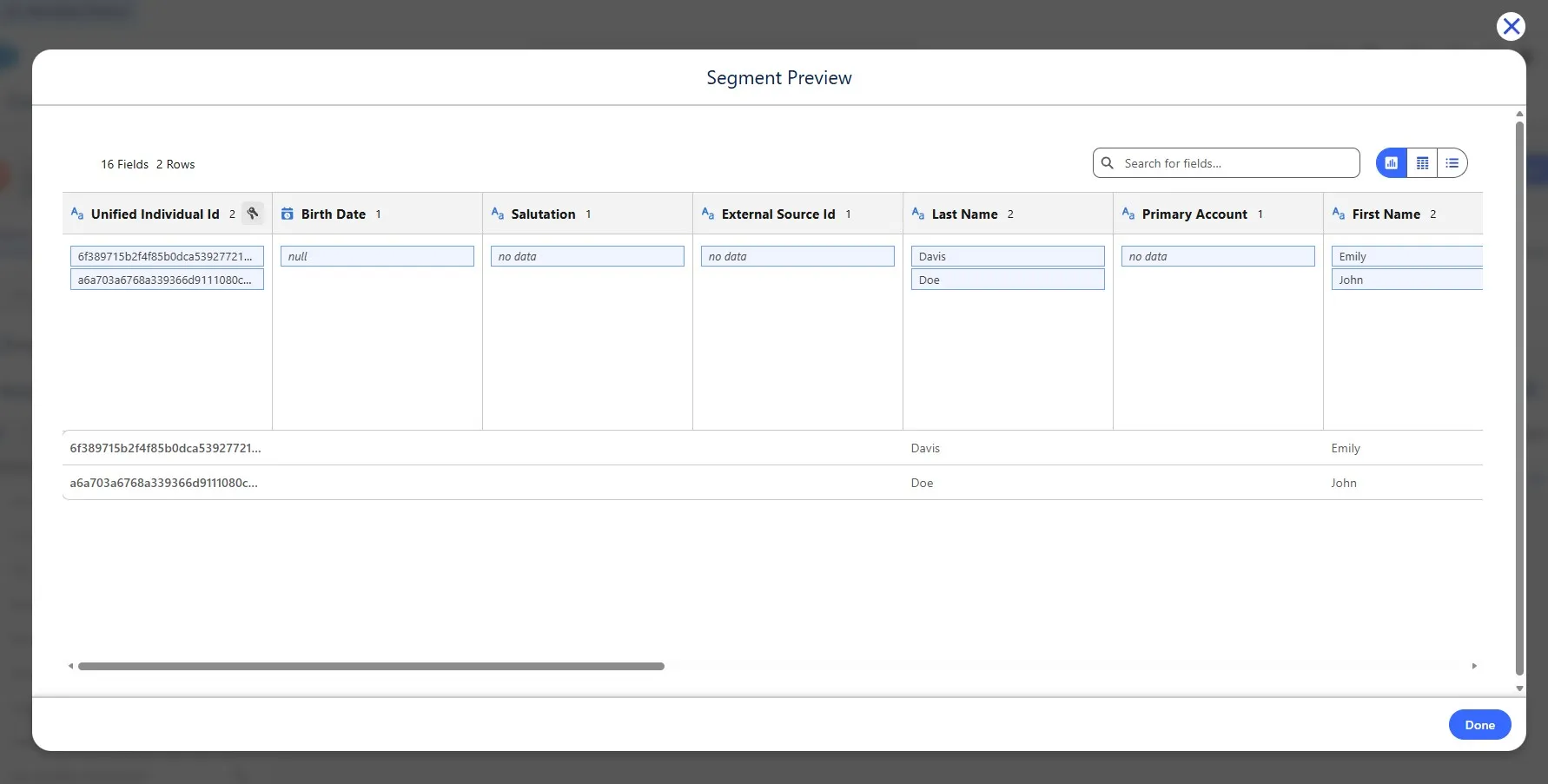
What’s more, if you change some criteria before recalculating the population, Segment Preview will query data using updated criteria, so you can see differences between the segment population count and records count in Segment Preview. Currently, in the Preview, you will see fields from the DMO that you segment on, but there is no option to display related attributes.
This feature uses Data Queries to get the records, so keep in mind that each click results in credit consumption (2 credits per 1m records, so not too much 😉).
Segment Member Validation (Beta)
Sometimes called also Member Verification Agent, Segment Member Validation enables you to verify if a specific profile ID belongs to a given segment directly from an Agentforce conversation. This allows you to skip a more advanced/technical approach to looking into Segment Membership DMO and simply ask Agentforce to find if a specific customer is in a specific segment.
Vector Filters (Beta)
Vector Filters provides NLP algorithms that scan unstructured and structured data to find similarities to the keyword written in the criteria. This helps expand the segment audience.
Let’s say you want to target anyone who bought “school supplies”, but you don’t want to include the exact 50+ categories, or you don’t have a perfect category hierarchy. In the standard segment criteria, we’ll have to pick specific attributes (if you have some) with OR operator time and time again, but, using Vector Filters (or Vector Search Operator in Segmentation as it is called in the Feature Manager), you can use the operator “Is Similar To” and set the similarity level to include any category that is similar to our “school supplies” term.
Einstein Segment Creation
If you want to build segments using natural language, Einstein Segment Creation is your go-to. Pretty useful, but it is good to correctly describe your data in Metadata Studio if you want to get good results.
Value Suggestions
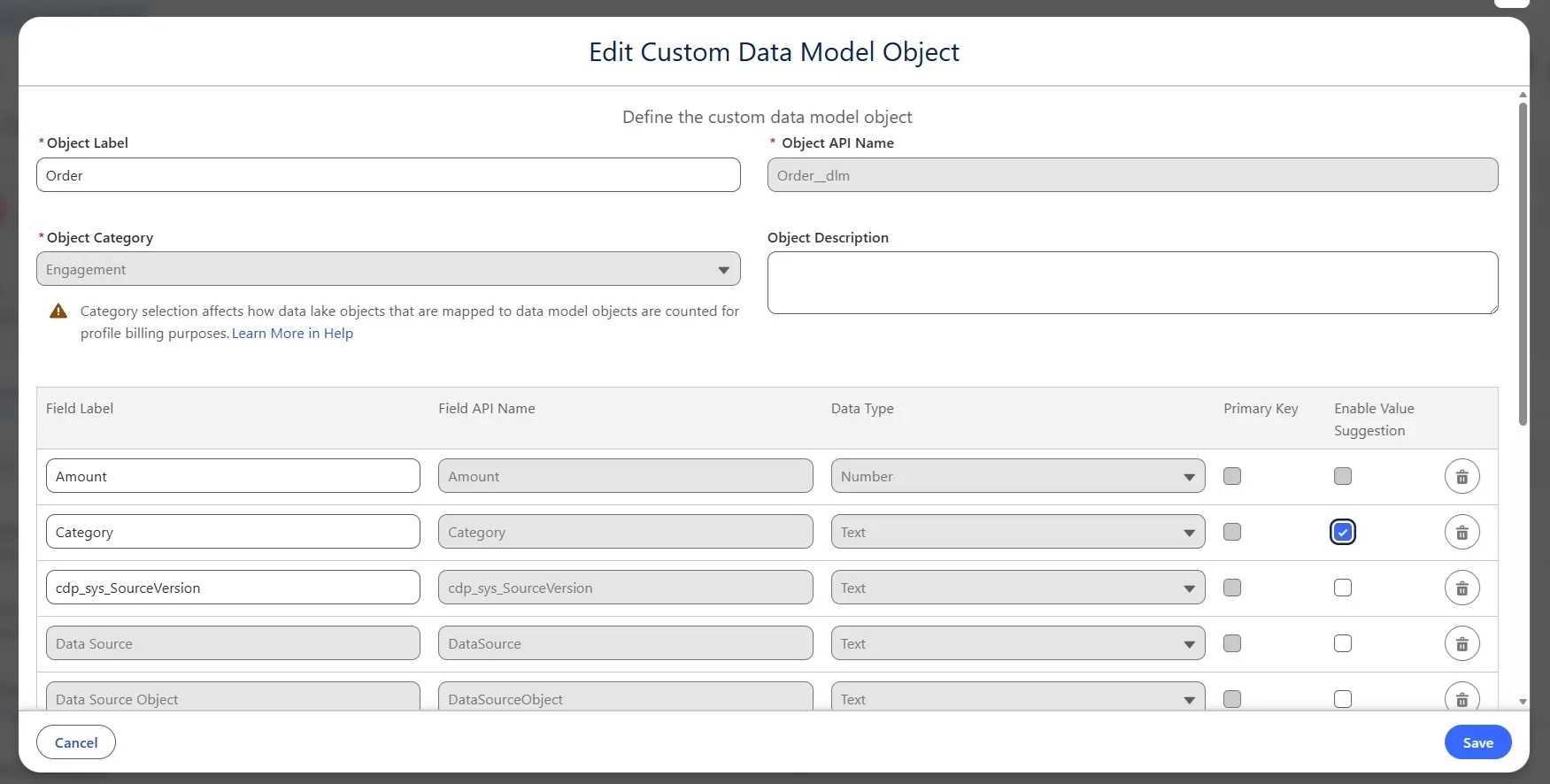
You will find Value Suggestions not in the Feature Manager, but when creating a new Data Lake Object or Data Model Object, or editing an existing Data Model Object. It is available for each Text data type field and provides suggested values presented in a dropdown list in the segment builder.
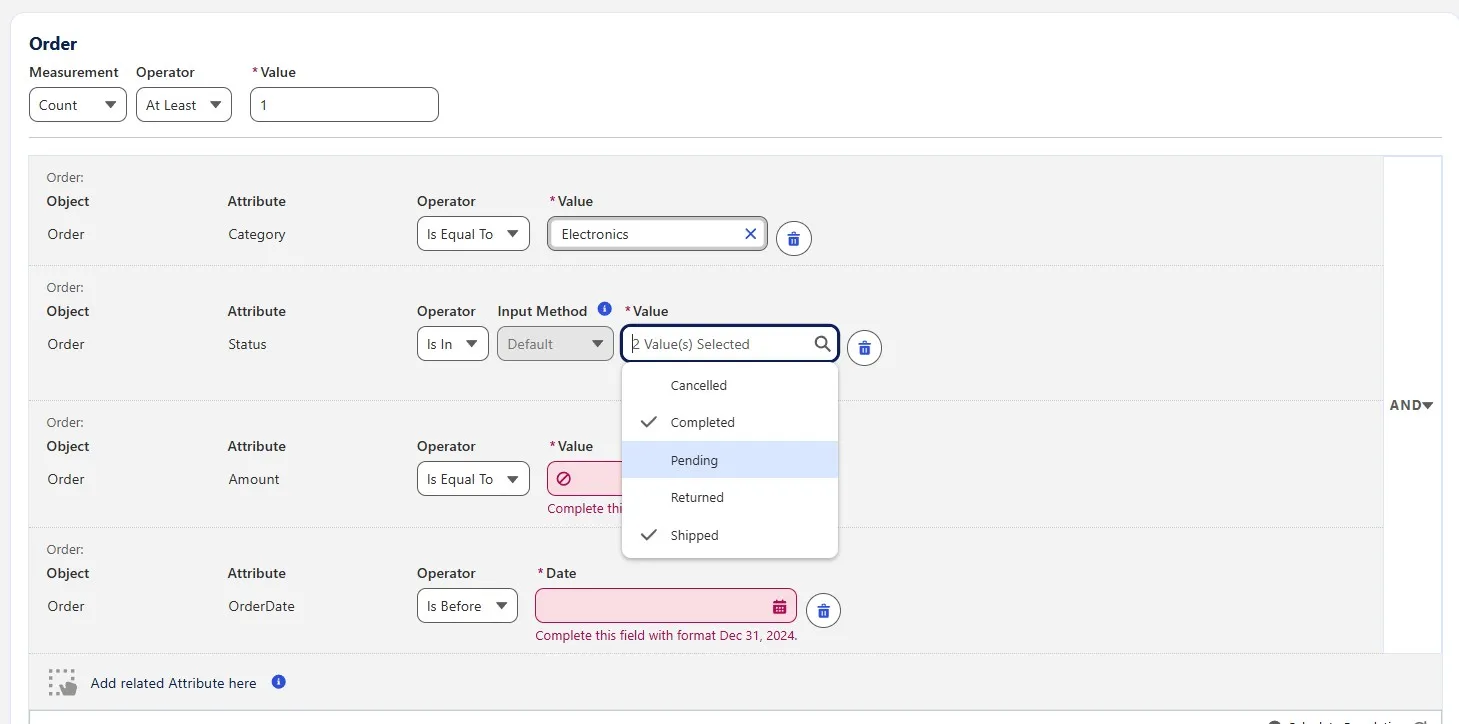
How to add a Value Suggestion to a text field?
- Open the Data Model tab and click on the Data Model Object.
- Click the Edit button.
- Look for your field and click Enable Value Suggestion.